Start with the story, not just the visual effect
Define the character's goal and the obstacle that makes the moment matter.
Single-episode AI storytelling
Turn One Story Idea into a Drama Worth Watching
Create an AI short drama from an idea, script, or novel excerpt. Shape a compelling hook, develop dramatic scenes, preview your storyboard, and generate AI video scenes with a story-first workflow.
An AI short drama generator helps turn a compact story idea into a dramatic video project. Rather than treating each shot as an unrelated prompt, it connects the premise, script, visual plan, and generated scenes so the story stays understandable from opening to ending.
Use it to explore a self-contained episode, test a dramatic concept, or adapt a scene from written fiction. Start with the central conflict, review the sequence of scenes, and choose what to generate.
Define the character's goal and the obstacle that makes the moment matter.
Review dialogue, actions, visual references, and storyboards before committing to video scenes.
Compare generated results and adjust prompts or references when a shot needs another pass.
The Fight I Owe You is a documented short-drama project created through Topview's story-planning and production workflow. Its premise is simple: a knight confronts the warrior he blames for his brother's death, then faces a revelation that changes the meaning of revenge.
The project starts with a confrontation, a clear motivation, and an emotional turn. Those decisions give the sequence a purpose before any footage is generated.
The episode uses conflict, action, and a late emotional reversal to create a complete dramatic arc.
Project Overview
Beat 1 — Hook: A Confrontation Begins
In a snow-covered arena, a knight challenges the warrior he blames for his brother's death. The opening establishes the conflict without a long introduction.
Beat 2 — Rising Tension
His opponent silently prepares to fight. The lack of an explanation adds uncertainty to the confrontation.
Beat 3 — First Clash
Their weapons collide. The knight's grief turns into aggression as the long-awaited battle begins.
Beat 4 — Escalation
The knight attacks with increasing desperation, but his opponent remains composed. The balance of power starts to change.
Beat 5 — Apparent Defeat
The knight falls. His opponent stands ready to deliver the final blow, and the revenge story appears to have reached its end.
Beat 6 — Reversal
Instead of killing him, the opposing warrior shows mercy and challenges the knight's belief about his brother's death.
Beat 7 — Emotional Consequence
The knight realizes that years of anger may have been built on a false assumption. The emotional stakes become more important than the physical fight.
Beat 8 — Payoff
The confrontation ends in silence as snow falls around the two warriors. The story closes with reflection rather than another attack.
The eight-beat structure gives the episode a progression from conflict to revelation. It also helps the creator identify which moments deserve visual emphasis.
Workflow
Start with a focused dramatic idea, then build a short chain of scenes around it. This five-stage workflow keeps story decisions visible before video production. For the wider process, see how to make an AI drama video.
Describe your story in a sentence, enter a plot outline, or upload written material. Select a single episode for a focused story or a series for a continuing narrative. The AI planning workflow helps organize your material into an editable story direction.
Shape the episode around a hook, rising stakes, conflict, reversal, and payoff. Review the beat sheet to check whether the story has a clear beginning, an emotionally meaningful turn, and an ending that fits your goal.
Turn approved story beats into scene-level script cards. Review character motivations, actions, dialogue, locations, and props. Use character and environment references to guide visual continuity.
Create and inspect storyboard frames before generating video. Adjust the visual direction, character positioning, framing, and scene flow. Keep useful reference images and production assets in the project.
Move approved scenes into the Drama Studio production workspace. Edit production prompts, generate video versions, review the results, and refine scenes before export. Available video, audio, and post-production options depend on the selected workflow and models.
Dramatic structure
Short drama pacing is about how quickly each scene changes the situation — not about squeezing a fixed number of beats into every story. These four elements help an AI short drama feel like a narrative rather than a collection of clips.
Open on a choice, discovery, confrontation, or unexpected image. Show the central tension before explaining every detail of the backstory.
Give the protagonist a goal and an obstacle. Each scene should raise the cost of failure, reveal a new problem, or change the balance of power.
A new fact or character decision can reverse the meaning of the opening. The twist should grow from information already planted in the story.
Resolve the central question, deliver an emotional outcome, or leave one purposeful next question. A cliffhanger is optional; even a brief standalone drama can have a complete ending.
Vertical format
An AI vertical drama is a dramatic video planned for portrait viewing, commonly in a 9:16 frame. The format is useful for mobile-first stories, but the framing alone doesn't create good drama: character emotion and scene clarity still carry the story.
Use portrait framing when creating drama for mobile-first viewing on platforms such as TikTok, Instagram Reels, and YouTube Shorts. Keep faces, gestures, and essential props easy to read on a small screen. Let close-ups and reactions do narrative work.
Show an unanswered question or charged interaction near the start, instead of spending the opening on background information.
Give each scene a clear purpose. A character should want something, encounter an obstacle, and respond in a way that moves the story forward.
Use a discovery, choice, betrayal, or unexpected action to change the direction of the story. A reversal works when it changes the meaning of what the audience has already seen.
A standalone short drama can end with an emotional resolution. A continuing AI micro drama can finish with an unanswered question that leads naturally into the next episode. The ending should follow from the conflict rather than feel disconnected from the story.
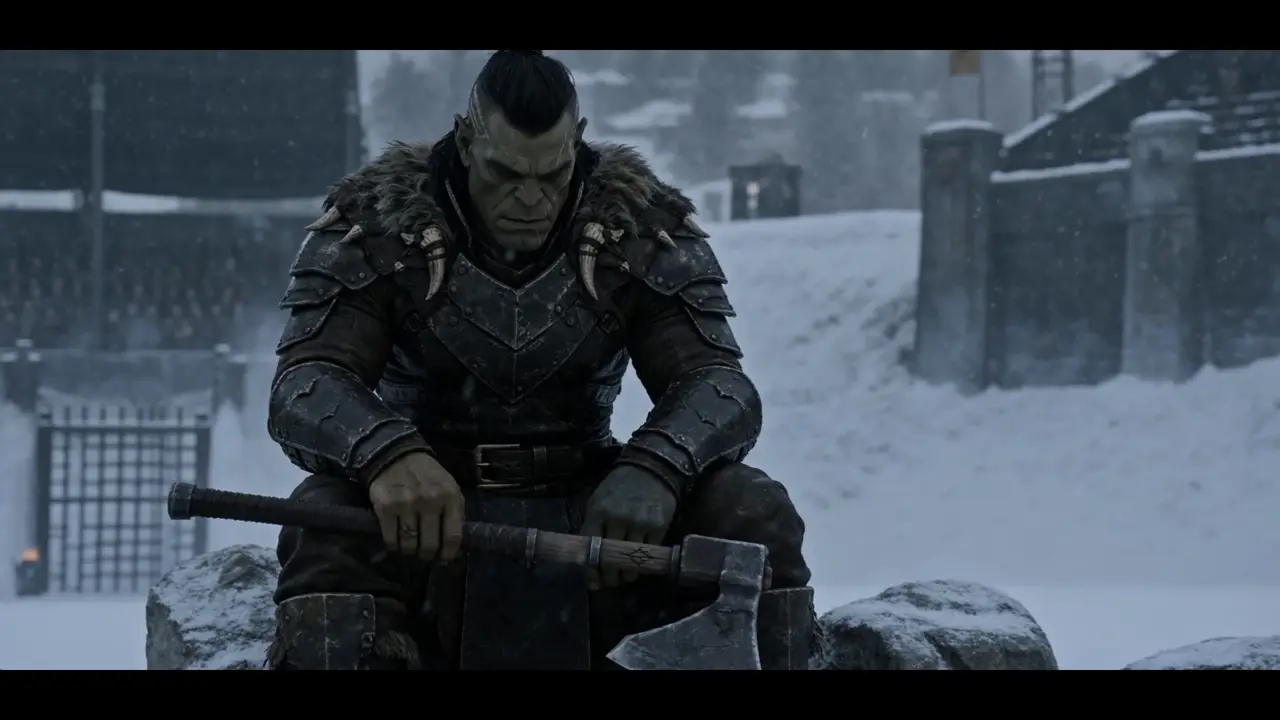
An AI storyboard turns a written scene into visible shot decisions. It shows what the audience should see, how characters occupy the frame, and which moment needs visual emphasis.
Create and reuse references for important characters, locations, and props. These references help guide continuity across multiple scenes.
Review camera framing, character placement, and the emotional purpose of a scene before moving forward, so the sequence feels like one dramatic moment rather than disconnected images.
Check whether the scene communicates the character's goal, reaction, and next decision without relying on a long explanation. Use available prompt-editing, reference, and version-management tools to adjust generated results instead of treating every scene as an isolated project.
Adaptation
Yes. A short story, script, web-fiction excerpt, or novel chapter can become the starting point for an AI short drama. The key is adapting written narration into visible actions, dialogue, and scenes rather than trying to reproduce every paragraph. A finished script can also move through script to video AI.
A chapter may contain several subplots. Focus the short drama on the decision or revelation that drives this particular episode.
Reveal character motives through choices, dialogue, and reactions instead of repeating every paragraph of the source.
Choose where the episode should begin and end. Close the mini-arc or leave one intentional question for a follow-up. For a larger connected story, use the separate AI Drama Series Generator workflow.
Episode pacing
There is no universal best duration. Use the story's emotional arc to choose a planning target, then build the scenes needed to achieve it.
These are suggested story-planning targets. Final video duration depends on how the scenes are produced and assembled.
Ask four questions before moving to production:
Answering these questions early makes the storyboard and scene-generation stages more focused.
Choose a short drama when you want one compact story with a hook, conflict, and satisfying result. Choose a drama series when the same characters and unresolved plot threads must develop across multiple episodes.
This AI short drama generator focuses on the episode itself. Topview Drama Studio is the production workspace where approved scripts, storyboards, and scenes are developed into video.
The cost of creating an AI short drama with Topview depends on your plan, the generation models you choose, the number and length of scenes, and how many versions you produce. Storyboarding and reference assets may also affect your project usage.
A short drama is usually planned as a sequence of scenes rather than a single continuous AI-generated shot.
To estimate your project cost, consider:
Review the current plans and credit information before starting a larger project.
Use cases
Turn a personal story concept into a dramatic scene or standalone episode without organizing a traditional film shoot.
Adapt written fiction into visual episodes to explore characters, pacing, and potential screen adaptations.
Develop story-driven content designed for mobile viewing, including romance, mystery, fantasy, and dramatic reveals.
Review scripts, storyboards, character references, and scene versions while developing multiple episodes within a connected production workflow.
Start with a conflict worth watching. Shape the scenes, review the storyboard, and bring the story to life through AI video production.